
Show status bar in Windows 8 explorer
In Windows 8, as everybody knows, was indeed also heavily bolted to the Explorer. Among other things, the Explorer has now received a ribbon bar. Everything looks very chic and is also functional. However, what I miss in default settings is, that the Explorer in Windows 8 is shipped with hidden status bar. (This is the small bar at the bottom border of the Explorer, where you can see attributes such as size, number of files, etc..)
How do you get the bar to appear again, I would like to show briefly below. Probably since Windows 7 not much has changed to do so, but I was never confronted about in Windows 7-times with this problem.
Step 1:
Open an Explorer window (Computer, My Documents, etc. …).
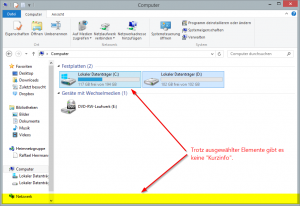
Step 2:
Switch to the “View” tab in the ribbon bar. Then navigate to “Options” and then […]
 Insert page numbers in Word documents is a breeze. A click on the tab “Paste”, another on “Page Numbers” and then it is almost done. But if you want to configure only a little more than the orientation or font size of the page numbers, you get an serious problem. Then it suddenly did not seem so easy.
 The .NET framework provides a large number of ways to encode HTML code and URLs. There exist, for example, Uri.EscapeDataString(), Uri.EscapeUriString(), System.Web.HttpUtility.UrlEncode(), System.Web.HttpUtility.UrlPathEncode(), System.Web.HttpUtility.HtmlEncode() or System.Web.HttpUtility.HtmlAttributeEncode().
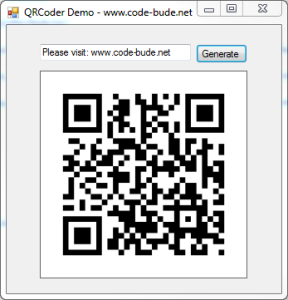 In modern times QR codes should be known by pretty much everyone. Since smartphones are becoming increasingly popular, QR codes can also be found at more and more places in our everyday lives. As a fairly serious geek this should be reason enough to engage a bit more in detail with the technology behind it. And what way seems to be more suitable than implementing a QR code generator by yourself?
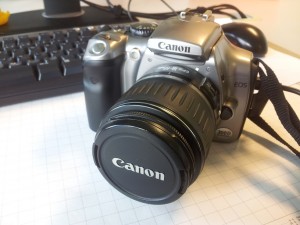 Recently I put my hands on a Canon EOS 300D and should copy a few photos from the camera to the PC. Easier said than done. The camera has a few years under his belt and Windows 7 was seemingly not able to find suitable drivers. Also the Windows driver search did not help.