
How to install Ubuntu on Samsung Galaxy S2
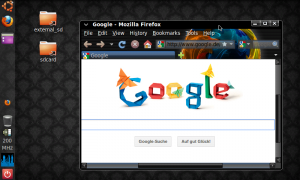
Android Ubuntu ScreenshotToday there is again an article on Android. More specifically, it’s about how you can run Android and Ubuntu (Linux) in parallel on your smartphone or tablet. Although I had already blogged about it before, but today I want to explain the whole setup process, step-by-step (using a slightly different method).
The title of this article is actually not quite correct, because we will not install Ubuntu, but setup some kind of a live system – so we get down to business.
I used my Galaxy S2 for the project. If it works with other smartphones, I could not test, but would be happy about comments on your part, if you tried it.
 
For our purposes we need the following things / conditions:

Android based device with root rights
Android Terminal Emulator (freely available on Google […]

Fix connection error when connecting Samsung Galaxy S2 with Kies

Samsung Galaxy S2 Kies VerbindungsproblemThe Samsung Galaxy S2 is a great device, with which I’m really full and satisfied. What I can’t say of Samsung’s software called Kies, which serves to synchronize and manage the Galaxy S2 with your PC.
There are always problems in connecting the smartphone to the PC or in special with Kies. If one is affected by the problem and googling a bit, so you will quickly find out that this problem does not occur only sporadically.
Therefore, today I want to show you three approaches that have helped me several times already when my Galaxy S2 won’t connect with Kies.
1) Reboot
Even if it sounds too simple. Often it is enough, to turn your Galaxy S2 once off and restart it. This is especially true when Windows indicates that the ‘Device’ could not […]

Google Analytics Widgets for Android

Sometimes ago I’ve written about Analytix Pro on Caschy’s blog and today I had to figure out that the update has swallowed the widgets. Too bad, really bad, because the widgets were one of the main reasons I liked the Analytix Pro app so well.
Although, the app has still great opportunities for analysis of your webprojects, it’s useless for now, if you just want to have a quick look on your site’s benchmarks. So I started to search again for an alternative and reviewed a couple of Android Google Analystics widgets. Those two, which fitted my needs at it’s best, I like to present you today.
1. GAnalytics Widget
The first widget is the GAnalytics widget and which can be found here in the Market. It’s free and ran flawlessly during my testing. On the home screen, it takes 2×1 tiles to complete. Unfortunately, it isn’t optimized for other tile ratios.

Android DiskUsage – check your free space

What to do when the memory card or internal memory is full on you Android device? How to find the real nasty memory hogs? That’s what the following article is about.
A few days ago I was confronted with the fact that my memory card on my Galaxy S2 was full. Unfortunately, I could not imagine what would consume so much memory, yet I was willing to to clear something up on a venture.
So there had to be an app. As always, I prefered a free one. And here it is – Disk Usage – my find of the day.
With DiskUsage you can visualize which folder uses how much memory. So you get a quick overview of where the real “memory hogs” are.
After starting the app, you must first select which storage medium has to be analyzed. You have the choice between the internal (device) memory and/the SD card(s).

How to stream your pictures and videos to any browser from your Android device

Now that’s success! I have just tested the vscreens app for Android and am really excited. But first things first.
vscreens is a free app from Sony Mobile Communications. But kindly runs on any device with Android (version 2.1 or newer needed) and not only on the Sony devices. With vscreens images and videos can be quickly streamed from your smartphone, simply and wireless, to any device that has a browser and an internet connection.
For this purpose, you have just to surf to www.vscreens.com, open the vscreens app on your Android device and scan the QR code on the target device. Then you select those pictures and videos from your smartphone you want to stream and they’ll appear directly on the target device. If the target device and smartphone are in the same Wifi network that’s going to be really fast. (But it will also work with your mobile internet connection.)
Those […]