
How to enable autocomplete aka Intellisense in Notepad++
 Anyone who has ever worked with Microsoft’s Visual Studio, will know and love Intellisense. When writing source code the auto-completion feature does a good piece of work for you. Now the good news! If you are rather a fan of writing your code in a more lightweight editor like Notepad++, you don’t have to completely give up the autocomplete support.
Even Notepad++ comes with a auto-completion feature. It only needs to be activated. How to do that, is what I want to show you in the following.
Step 1:
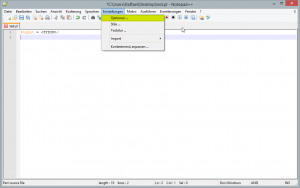
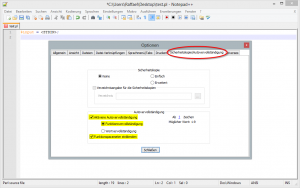
Open the Options dialog from the menu and change to the tab “backup / autocomplete”. Now check both, the “Enable autocomplete” and “Show Function Parameters” option.
Step 2:
 Now it goes into the third round of Best of Web (#BoW). Every Monday, as promised, I post a few of my favorite internet finds. This week I’m a little late, but Monday just prior to 23:00 clock still Monday. (So I’ve reached my own goal again this week.)
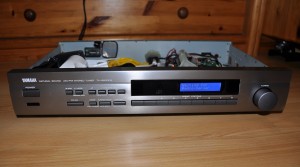 Today I want to present you one of my larger craft projects. This time it is not just about software, but also about the associated hardware. What is it? A web radio!
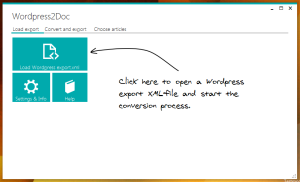 Short info: After Habared has kindly told me on GitHub that my “WordPress2Doc” tool has a few problems with UTF-8 characters, I took time and wrote a small fix.