

Personal note: Passing the Torch on the Open-Source Project QRCoder
Anyone who has searched this blog in recent years for solutions to generate QR codes in .NET will inevitably have come across my project, QRCoder. I launched the library in October 2013, not primarily because I lacked other tools at the time, but as a personal programming challenge: My goal was to implement the official DIN/ISO standard for QR codes natively in C# from scratch myself. To understand the algorithms, to learn something new.
Over the years, this experiment has grown into a very successful open-source project that has now been downloaded millions of times via NuGet and is used in numerous commercial and private projects worldwide.
After 12 years, I decided in September 2025 to hand over the active maintenance and administrative management of the project. In this brief post, I would like to explain the background behind this decision and introduce the new maintainer.
The Reasons for the Transition
Maintaining […]
 Anyone who develops software and especially if he/she does so in the web environment, has certainly already written one or the other login system or at least had points of contact in this area. Besides the logic of a secure login or user management system, the secure storage of passwords is one of the most important points during implementation.
 Round about 8 months ago, I release the last WordPress2Doc update. Some may have thought that the project has fallen asleep. But that is not the case.
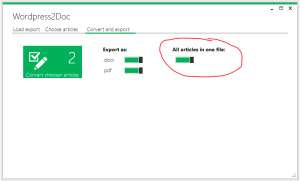 Today there is again a software update. Since yesterday evening the new version 1.2.7.0 of the WordPress2Doc Tool is available for download. In addition to two bugfixes, further translations have been introduced. Thanks a lot to the community support!