How to add DLL to Visual Studio projects

Some days ago I received an email, in which I was asked, how to embed/include .dll-files to into Visual Studio projects. So here comes the answer to the question: How to add dlls to an ongoing Visual Studio project?
The solution to the problem is closer than some of you might think. First you right-click on the “references”-label in the Solution Explorer and click in the context menu on “Add reference” . (Fig. 1)
Now click on the “Browse” button, select the desired (. NET compatible) DLL and confirm your selection by clicking on the “Ok” button. (Fig. 2)
In the last step you can add the appropriate using directives in your source code for an easier access to the methods of the obtaining DLL. (Fig. 3)
Visual Studio - Verweise  Dlls auswählen

How to save configuration settings in C#

How to save settings really quick and easy in C # applications? I’m sure this question has been asked certainly by everyone once during his career as C# programmer. And did you know? The answer is quite simple. The easiest way to answer this question is to use the  AppSettings from ConfigurationManager class of the .Net-Framework.
The. Net Framework brings its own managers to save and load settings with it. The properties are stored in the common XML format. And so you can see that dealing with the AppSettings is really a no-brainer , I have written two small functions for saving, changing and reading preferences.

public string getAppSetting(string key)
{
//Load the appsettings
Configuration config = ConfigurationManager.OpenExeConfiguration(
System.Reflection.Assembly.GetExecutingAssembly().Location);
[…]

JavaScript based online Gameboy emulator

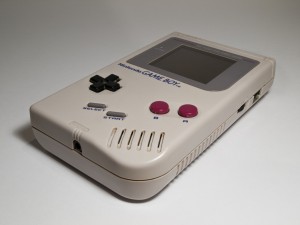
Original GameboyIt’s not often that I play games. And if I do, then my favorites are classic games. And yes, I still grow up with a Gameboy. With a large Gameboy.  Since these are no longer available, I have already had one or two emulators in my hands.  But what I’ve found now on the web, I’ve never seen before.

A student named Grant has developed his own Game Boy emulator. The remarkable thing is that it is completely written JavaScript and therefore runs online.
I think that’s an extraordinary achievement. An online demo can be found here. Also Grant has uploaded the sources to github.
The roms, which are needed to play, you have to get by yourself. But a short look over at Google should help you. Because the procurement of roms is in a […]

Tutorial: How to create a simple HTML5 JavaScript based progress bar

JavaScript Progressbar
Since I needed a javascript based progress bar for a Web project and I could not find a component that meets my expectations, I decided to write my own progressbar.
The project was implemented in JavaScript with help of the HTML5 canvas element. The progress bar gets along without any image files, as it is usually the case with other JS / CSS progress bar solutions. By default it can handle 100 states (0-100%) and input errors will be caught and visualized.
Since I like to share my developments I present you the progressbar of course. I’m always open for criticism, praise and suggestions.
For a demo / example click here. The source can be found over here: pbar.js
Below I will show you quickly how to use the progressbar.
At first you have to embed the progress bar […]