
How to use Ubuntu software center on Linux Mint
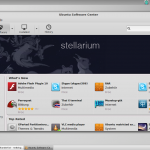 Linux Mint itself is well and good, but the included software management is admittedly not quite my thing. I personally think it’s quite sluggish (long loading times) and also eye candy looks different. Concerning the software center Ubuntu has done a far better job. And that’s why I want to show you today, how to get Ubuntu’s software center running up on Linux Mint.
In the first step the software center must be installed with the following shell command.
sudo apt-get install software-center
Then a python script must be created. Therefore you copy an existing script and edit it. See the following shell commands to get to know what exactly is going on.
sudo cp -r /usr/share/software-center/softwarecenter/distro/Ubuntu.py /usr/share/software-center/softwarecenter/distro/LinuxMint.py
In this script, you need to edit some lines. So replace
class Ubuntu(Debian)
with
class LinuxMint(Debian)
For this purpose, just open the file with the following command:
gksudo gedit /usr/share/software-center/softwarecenter/distro/LinuxMint.py
(Within the […]
 For some time I use Google Adsense on this blog. Ok, it’s definitely not the big win, but a penny saved is a penny earned. But how to stay up to date on your Google Adsense earnings?
 Today I wanted to run (once again) a bash script on Linux Mint. (I had downloaded it from Pastebin.com). But unfortunately nothing happened. Not even an error message. Whereas solution was quite simple. The script was apparently stored with line breaks in Windows format (r), so the bash interpreter couldn’t parse it correctly.
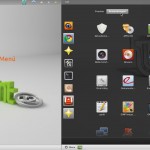 Meanwhile, I have used Linux Mint for a few weeks and I’m in between, of course, repeatly encountered one or another obstacle. One of them is for example the fact that some programs that are installed by the shell, are only visible to the the Gnome menu, but aren’t showing up in Linux Mint start menu. How to fix this, I want to show you today. (Who does not know the difference between Linux Mint start menu and the Gnome menu should simply click once on the little picture above-left of the article.)
 Today I want to point you to a plugin for WordPress, that I use for a few days here on my blog. It’s called Lightbox Plus Colorbox and is mainly used to display photos. I had already installed some lightbox plugins in my blog but none of them met all my requirements …