
Mastering OpenSSH – Part 1: Installing the OpenSSH server
When it comes to secure connections between two computers, SSH (SSH = Secure Shell) is the drug of choice. Thus for example you can remotely control your home- or web-server by an encrypted connection via SSH. How to install the OpenSSH server (software) on Linux (Ubuntu) and establish and secure the connections, is what I want to show to you in the following series of articles.
As an example scenario, we assume that we have a Linux machine which acts as a server and two computers, one with Ubuntu Linux and one running Windows 8, which represent our clients.
OpenSSH server installation
The first step is to download the server software. The SSH client (for connecting the server with another PC/server for example) can be installed as well if needed.
sudo apt-get update
sudo apt-get install openssh-server openssh-client
After the installation of the OpenSSH server you may need to start the service manually. This can be […]
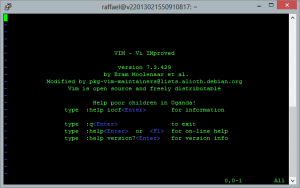 Vim is an open source text editor that runs on Linux, MacOSX, Windows and many other operating systems. If I had to describe it in just one word, then the first thing I can think of would be “powerful”. Vim supports syntax highlighting for really almost any format and has got many other extras.
 If you work with the Windows command prompt and want to copy files from or to a USB flash drive, then you get a problem. So how to show all drives in the commandline (cmd) from Windows? Without a list of all the drives you won’t know the drive letter of the USB flash drive and without this you won’t be able to access it.
 A few days ago I wrote about how you can flash OpenWRT on the TP-Link WR703N router and build a ~20$ cheap OpenWrt router this way. OpenWrt actually works quite well on the WR703N, but in retrospect the following problem arises.